Friends
Your friends are the people you share a group with. Nobody sends friend requests: when someone joins one of your groups, you show up on each other’s list.
Open Groups and tap Friends to see them. Each row shows where you stand with that person one-on-one: owes you, you owe, settled up, or no tab yet.
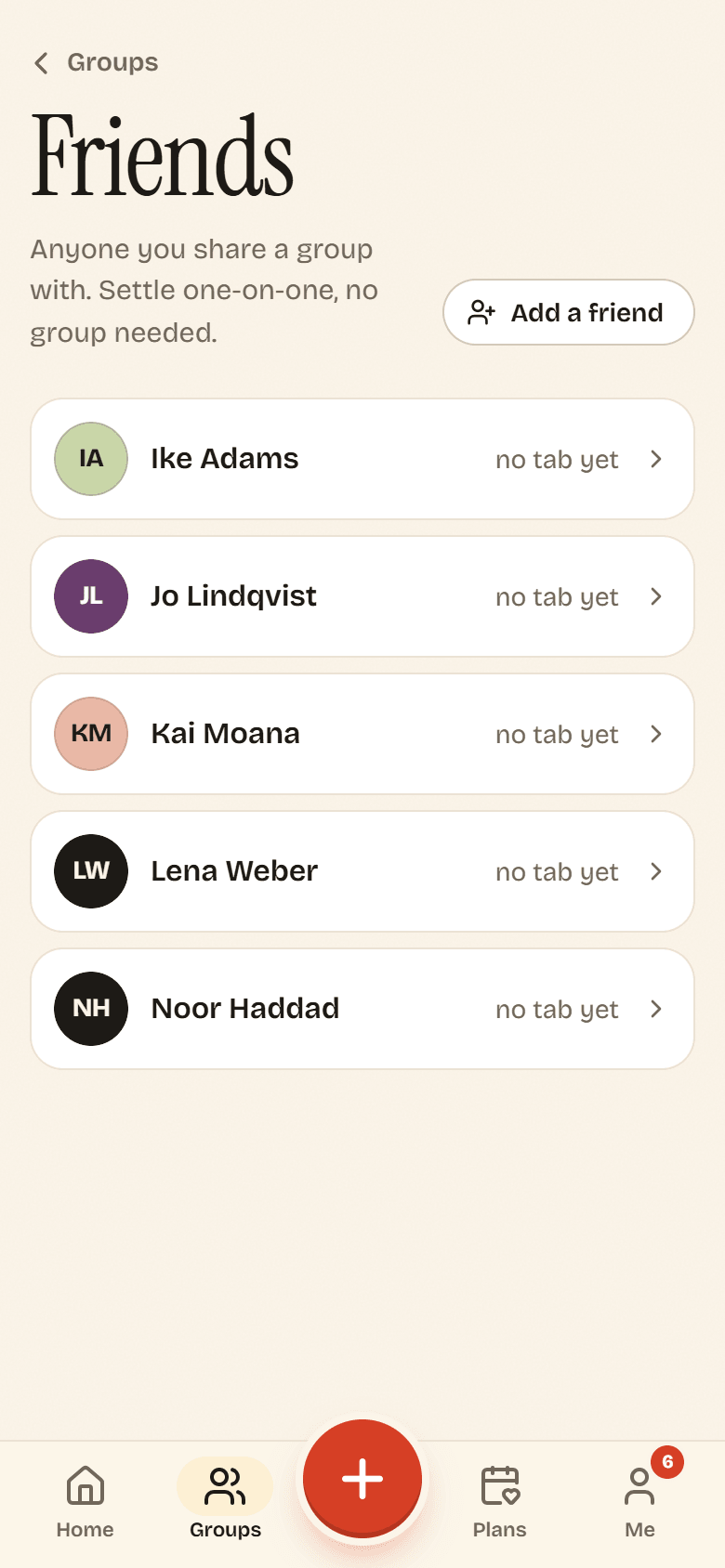
Split something with one friend
Section titled “Split something with one friend”Not everything belongs in a group. Coffee with a roommate, a concert ticket for one friend: keep those on a one-on-one tab.
- On Friends, tap the person.
- Potluck opens your tab together, titled You and their name. The first time, it starts a fresh tab.
- Tap Add expense and split it as usual. See Adding an expense.
A one-on-one tab has only Expenses and Balances. There are no plans, invite links or roles to manage. You settle up the same way as in a group: see Recording a payment.
Add a friend
Section titled “Add a friend”Tap Add a friend and pick one of your groups under Invite them to. Potluck makes a one-use invite link for that group that lasts a week, and opens your share sheet so you can send it. When they join, they appear on your Friends list.
No groups yet? Potluck asks you to start one first. See Groups.